
Digital Reservation
The e-signature platform built for business aviation. Replace clunky PDF quotes and endless back-and-forth with a single digital quote your client can sign with a finger — on their phone, or any device.
One page replaces the back-and-forth
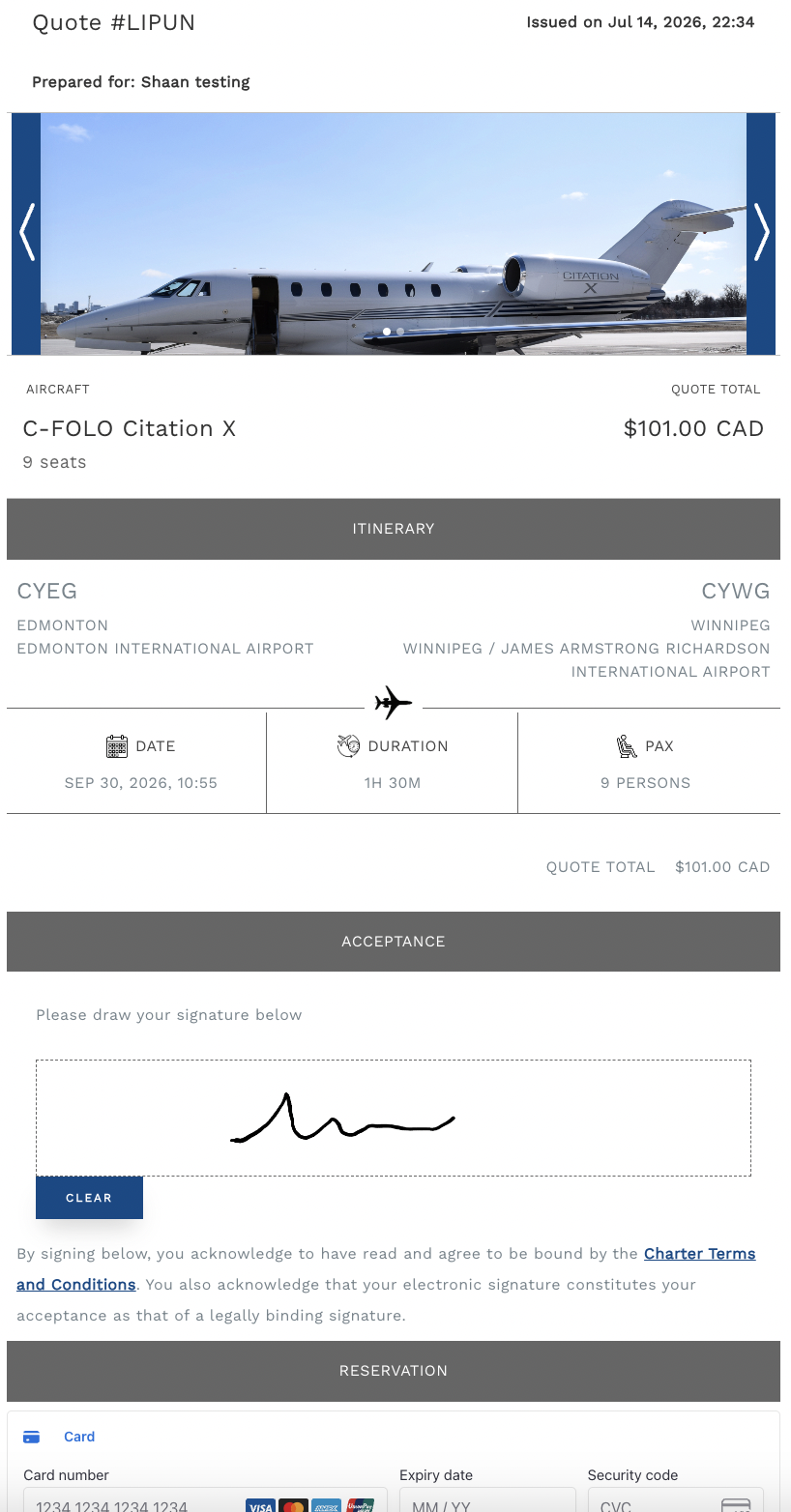
A charter quote shouldn't take three emails and a PDF attachment. Digital Reservation puts the itinerary, the terms, and the signature on one screen.
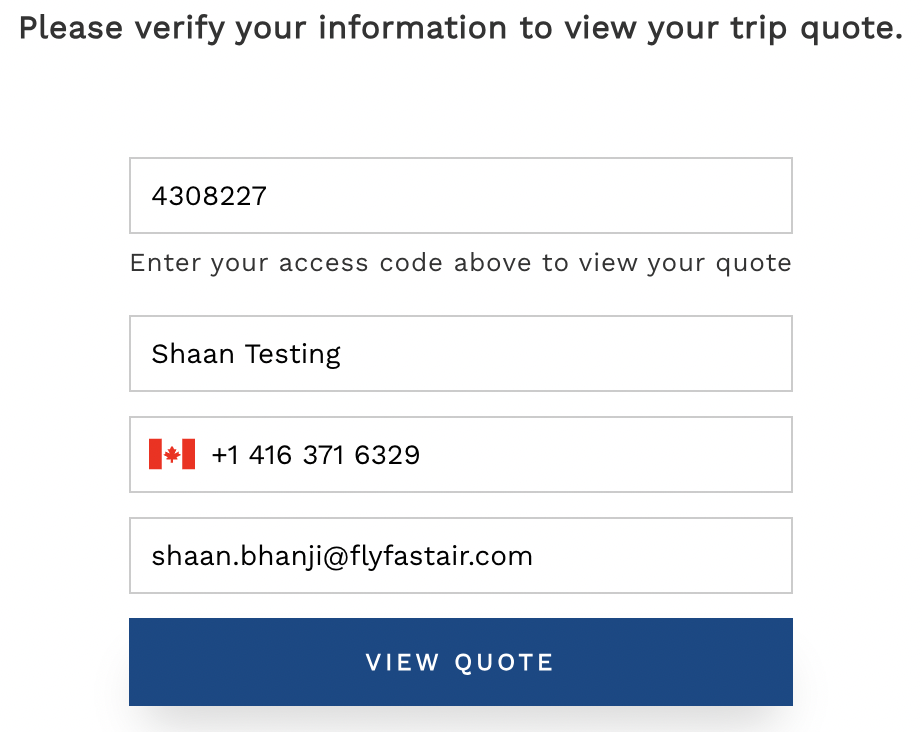
Secure access
Every quote is protected behind a one-time access code tied to your client's contact details — so a link can be shared without exposing it to anyone else.
Sign and reserve, in one step
The full itinerary, charter terms, and signature live on one screen. Your client signs with a finger — on their phone or any device — and a legally binding confirmation is sent to both of you. The aircraft is reserved, no back-and-forth required.
Built for business aviation, not adapted for it
General-purpose e-signature tools like DocuSign, Adobe Sign, and Dropbox Sign weren't built for charter. Digital Reservation is.
FMS integration
Connects to your Flight Management System out of the box — not after months of custom API work.
Embed anywhere
Drop it directly into your own operator or broker website. No redirect to a third-party portal.
Industry-specific terms
Itineraries, tail numbers, and charter terms — not a generic contract template repurposed for aviation.
Teams & Slack
Route confirmations to Teams or Slack, whichever your team already lives in.